Good interface motion explains change, establishes hierarchy, or preserves spatial context. Bad motion delays content, shifts layout, competes for attention, and consumes device resources after the reader has understood the point.
For CMS-managed components, the content must remain complete without animation. Editors control copy length and item count; users control motion preferences and device conditions. The safest architecture renders the final semantic result first and treats movement as a progressive visual layer.
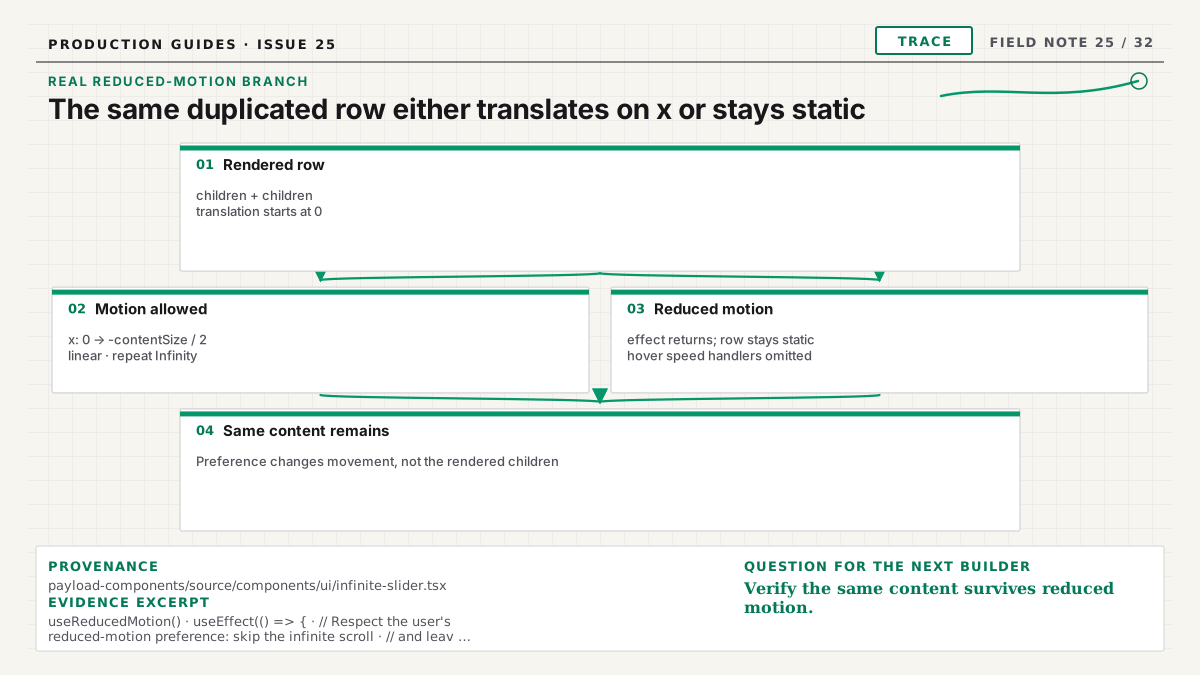
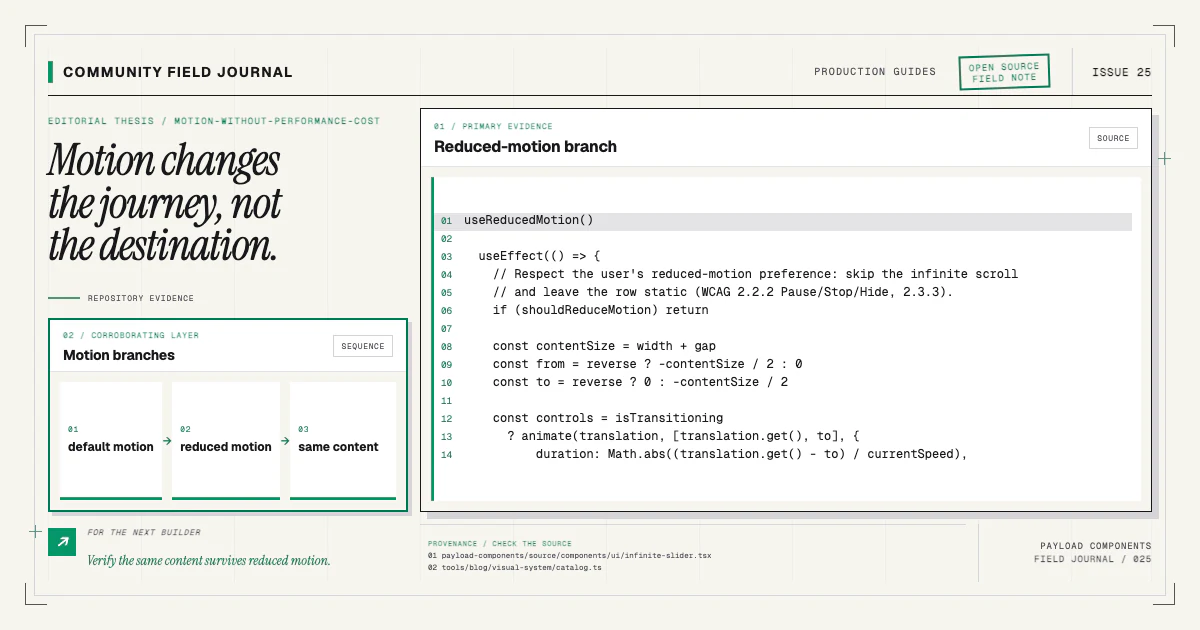
The actual InfiniteSlider starts its motion value at x = 0. In the default direction it computes
contentSize as the measured width plus the gap, then animates the row from 0 to
-contentSize / 2; the reverse direction swaps those endpoints. On a reduced-motion render, the
effect returns before calling animate, so the row stays static at x = 0.
Give every animation a job
Before choosing a library or easing curve, finish this sentence: “The motion helps the reader understand…” Useful answers include where a panel came from, which item became active, that a process continues, or how two states relate.
“It makes the page feel alive” is too vague to justify continuous work. If removing the animation does not reduce comprehension, keep it subtle or remove it. A component catalog should not make every section compete for the strongest entrance.
Motion also has an editorial cost. A marquee assumes items are equivalent and repeatable. A staged feature reveal imposes order. A carousel hides most content at any moment. Those are structural decisions, not harmless decoration.
The component variant guide explains why a motion- dependent structure may deserve its own explicit item.
Render the final semantic state first
Server-render meaningful headings, copy, images, and actions in logical DOM order. JavaScript can add classes or state that animate from an initial visual treatment, but it should not be responsible for creating essential content after an arbitrary timer.
Avoid setting every section to opacity: 0 in static CSS and waiting for an intersection observer.
If JavaScript fails, hydration stalls, a crawler captures early, or reduced-motion logic skips the
transition, the page remains blank. A safer pattern applies hidden initial styles only after a small
enhancement marker is active and always has a timeout-free final path.
For server and client boundaries, keep the block server-rendered and isolate only the observer or
interactive control. Do not move an entire page to use client for entrance effects.
Prefer transform and opacity
Animating transform and opacity often avoids layout and paint work because browsers can handle
them on composited layers. Animating width, height, top, left, or large shadows can trigger layout or
paint on every frame.
That does not make transform free. Too many promoted layers consume memory, large translucent areas
can be expensive, and continuous animation uses power. Apply will-change sparingly and near the
animation, not permanently to every card.
Reserve final dimensions before motion. Images need width and height or aspect ratio. Expanding panels need a strategy that does not move unrelated content unpredictably. Layout stability is part of perceived performance.
Use browser performance tools on representative hardware. An effect that looks smooth on a current laptop may stutter on a midrange phone under network and CPU pressure.
Keep duration proportional to distance and consequence
Small feedback should be fast. Larger spatial transitions can take longer because the eye needs to track them. Repeated interactions should become less ceremonious than a one-time page transition.
Use a small set of duration and easing tokens rather than inventing values in every component. A coherent motion language feels more polished and is easier to tune globally. Respect the project's visual standards: named tokens are preferable to arbitrary timings scattered through source.
Avoid long stagger chains. If twelve cards enter 100 milliseconds apart, the last content waits more than a second for no informational reason. Cap the total sequence and allow items beyond the first few to appear together.
Implement reduced motion as a real branch
prefers-reduced-motion: reduce does not require removing every state change. It asks you to reduce
nonessential motion. Replace travel, parallax, looping, and large scaling with immediate state or a
brief opacity change when appropriate.
In CSS:
@media (prefers-reduced-motion: reduce) {
  .animated-section {
    animation: none;
    scroll-behavior: auto;
    transition-duration: 0.01ms;
  }
}
The exact rule depends on the component. The invariant is that the final transcript, content, and controls are visible. This repository's browser contract explicitly checks that the terminal replay shows its final line under reduced motion rather than remaining at an empty initial frame.
Test the preference in the browser, not only by reading the media query.
Design continuous motion with pause and duplication rules
Logo marquees and integration orbits are continuous. They need stricter justification because they consume attention and resources indefinitely.
Render one complete semantic list. If visual continuity requires a duplicated track, mark the copy
aria-hidden so screen readers do not announce every logo twice. Pause on hover or focus when that
helps inspection. Stop or replace the animation for reduced motion. Avoid placing focusable links in
both original and duplicate tracks.
Consider a grid instead. When users need to recognize individual logos or select integrations, a stable layout can be more useful than motion. The catalog offers structural choices because behavior changes the content experience.
Handle disclosure and carousel state immediately
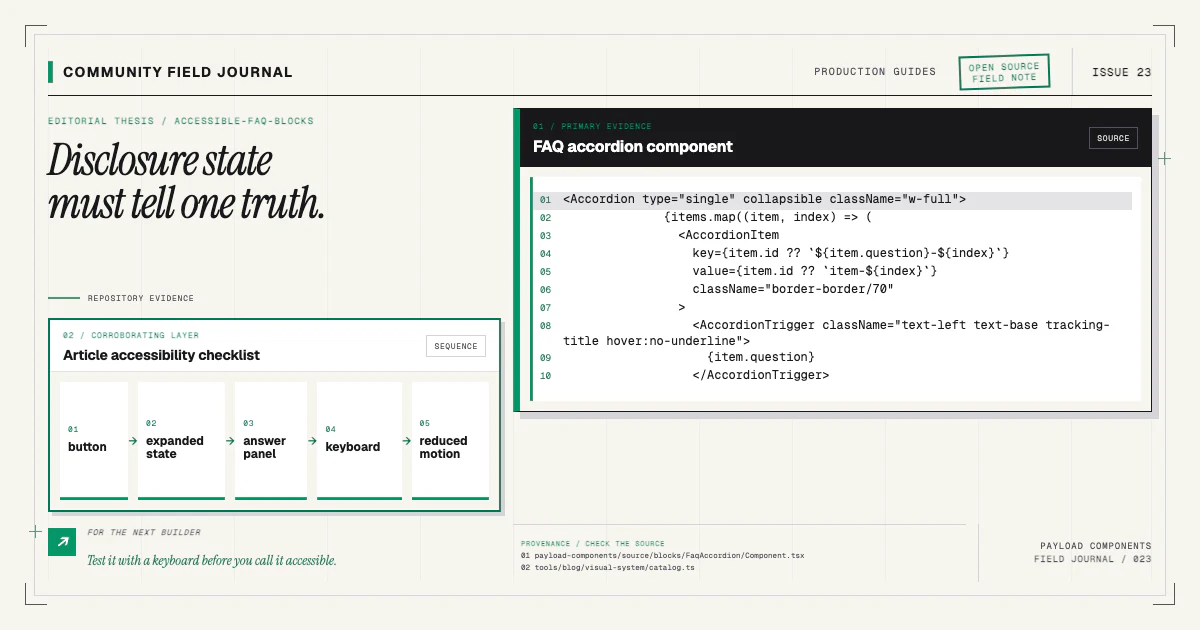
For an FAQ, update aria-expanded with the user's action, not after a panel transition completes.
Ensure closed content cannot receive focus. The
accessible FAQ guide covers disclosure semantics.
For a carousel, controls must work with keyboard, have accessible names, and preserve a readable non-JavaScript state. Automatic advance needs pause behavior and should stop for reduced motion. Avoid moving focus when slides change unless the user explicitly requested navigation.
Motion state and accessible state should never disagree. A panel can still be visually animating while its semantic state is open, but focus and visibility rules must match the intended result.
Avoid scroll-driven main-thread work
Continuous JavaScript scroll handlers that read layout and write style can cause repeated forced layout. Prefer CSS capabilities or browser observers for threshold-based reveals. When measuring is necessary, batch reads and writes and avoid updating React state every pixel.
Parallax often adds little information while increasing motion sensitivity and compositing cost. Use it only with a reduced-motion alternative, bounded travel, and measured performance. Never make text readability depend on two layers remaining synchronized during scroll.
Intersection Observer is appropriate for starting an effect when content enters the viewport, but remember the content must already be meaningful if the observer never fires.
Keep media efficient
Animated images and video can dominate the component budget. Use a poster, explicit dimensions, appropriate codecs, responsive delivery, and conservative preload. Do not autoplay audio. Pause video when it leaves the viewport where practical, and provide controls when playback communicates content.
An animated hero competes with the page's largest content for bandwidth. Choose media because it proves the product, not because the empty mockup needs movement. The hero selection guide explains that evidence test.
For editor-uploaded assets, validate file types and sizes according to the application. A component cannot optimize an unbounded source after the fact.
Measure outcomes, not animation count
Use the browser performance panel, Web Vitals relevant to your application, device throttling, and visual inspection. Look for long tasks, layout shifts, paint-heavy regions, layer count, input delay, and power-hungry loops.
Test with long CMS content because wrapping changes travel distance and panel height. Test multiple animated blocks on one page; isolated smoothness does not prove composition. Verify background tabs, visibility changes, and route transitions do not leave loops running.
Add visual regression for final states and interaction tests for preference branches. Snapshotting the first animation frame can be nondeterministic; disable or settle motion in capture mode while testing behavior separately.
Install a moving component and make the contract explicit
Try a real continuous structure on a branch:
npx payload-components add logo-cloud-marqueeInspect the Logo Cloud Marquee docs, verify the semantic list, duplicate track, reduced-motion state, pause behavior, and performance beside other page sections. Compare it with a stable logo grid in the catalog.
If a motion regression appears, contribute a reproducible browser test or performance trace with the source change through the contributing guide. The best motion work is not the most elaborate effect; it is the effect whose purpose, fallback, and cost remain clear after the demo becomes a real page.